Pipeline & customers
Leads move across New, Contacted, Estimate sent, and Won — with customer records and history attached.
Jump to Pipeline →Product screenshots
These are real Jobyard screens with sample shop data. Browse the gallery below. When you want a workspace of your own, start a trial or book a walkthrough — we don't put visitors into a live app sandbox from this page.
Screens from the product
Static page captures — not a clickable demo of the application.
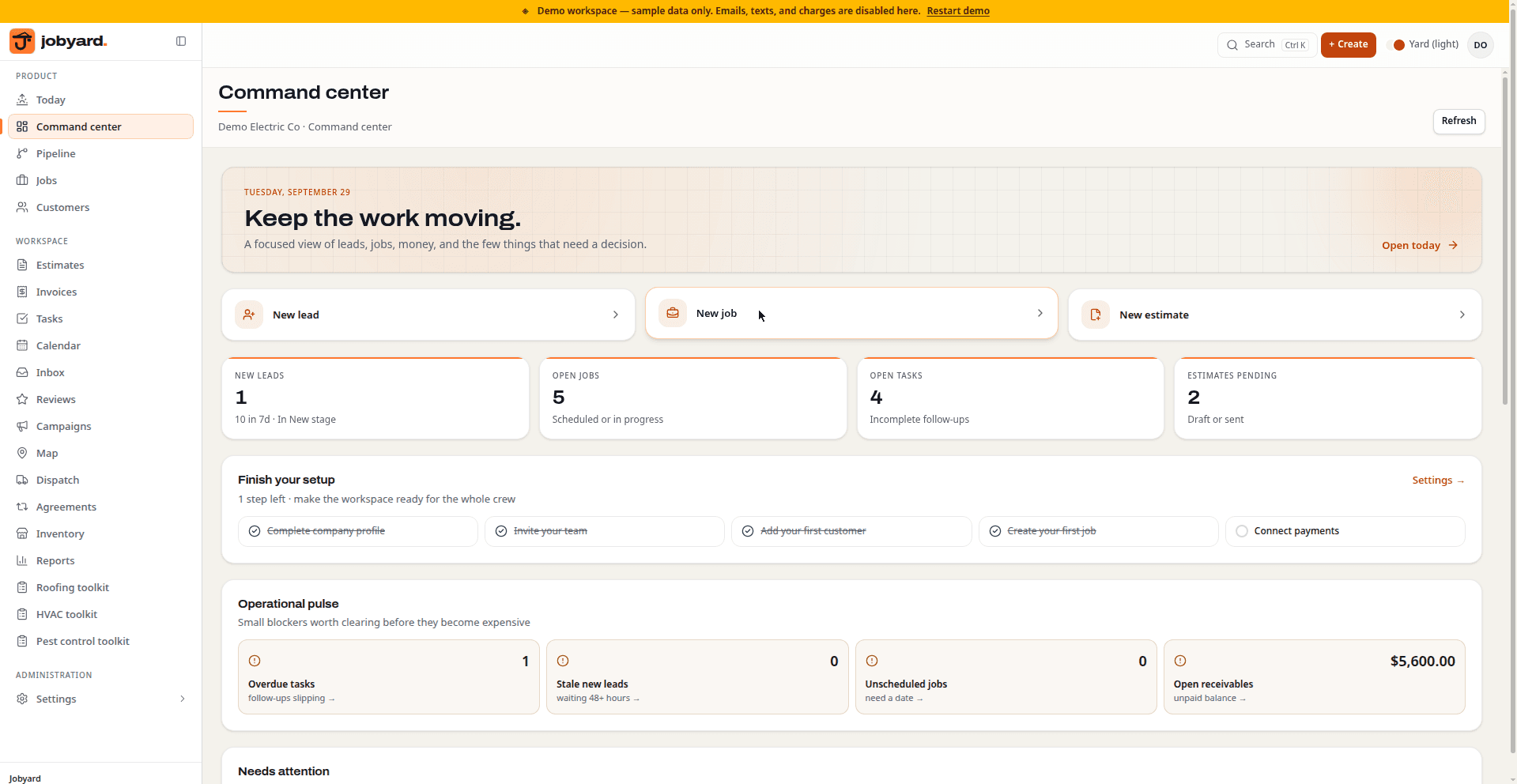
Dashboard
The command center: today's KPIs, what needs attention, recent leads, and the day's tasks.
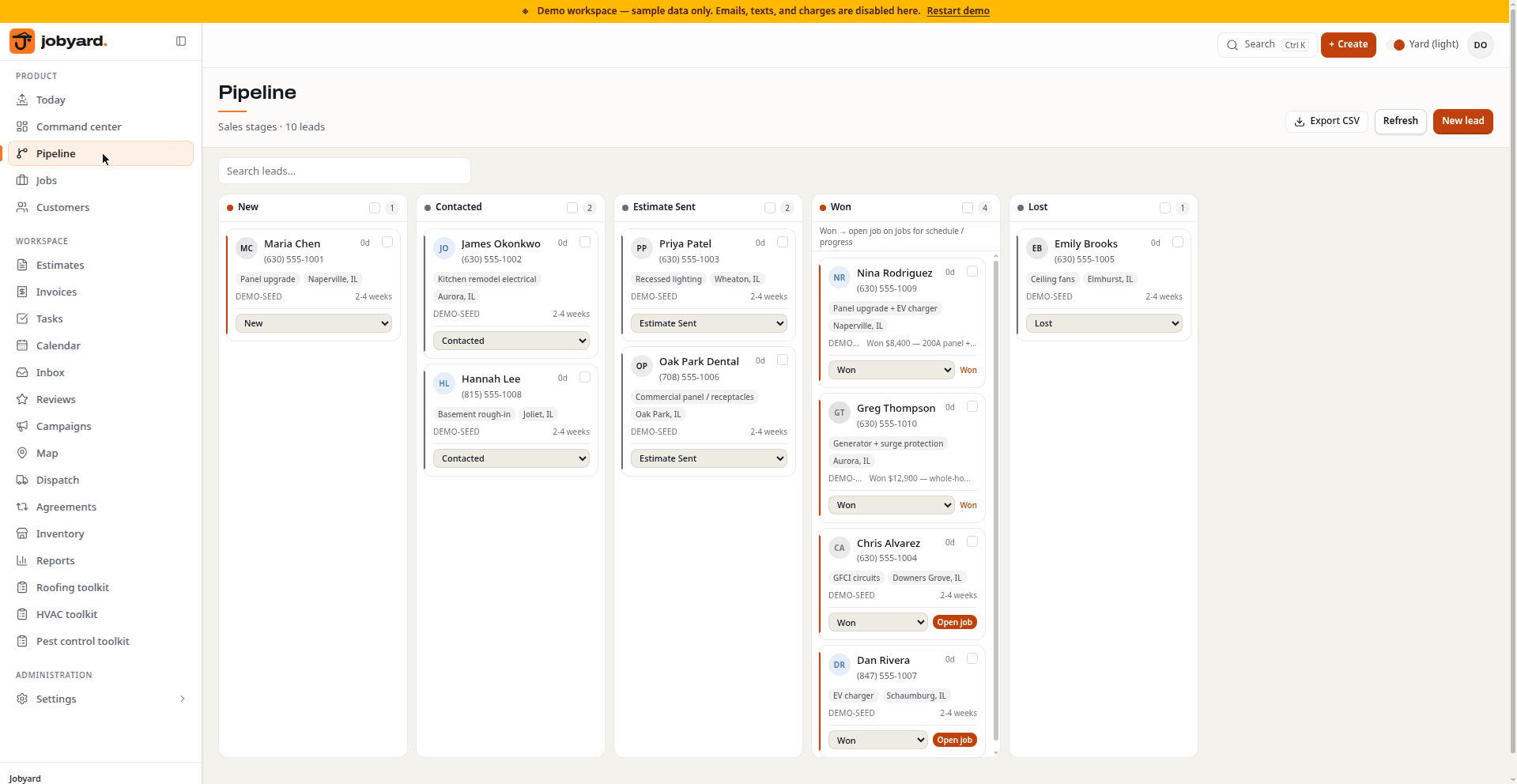
Pipeline
The pipeline: leads across New, Contacted, Estimate sent, and Won, with value totals per stage.
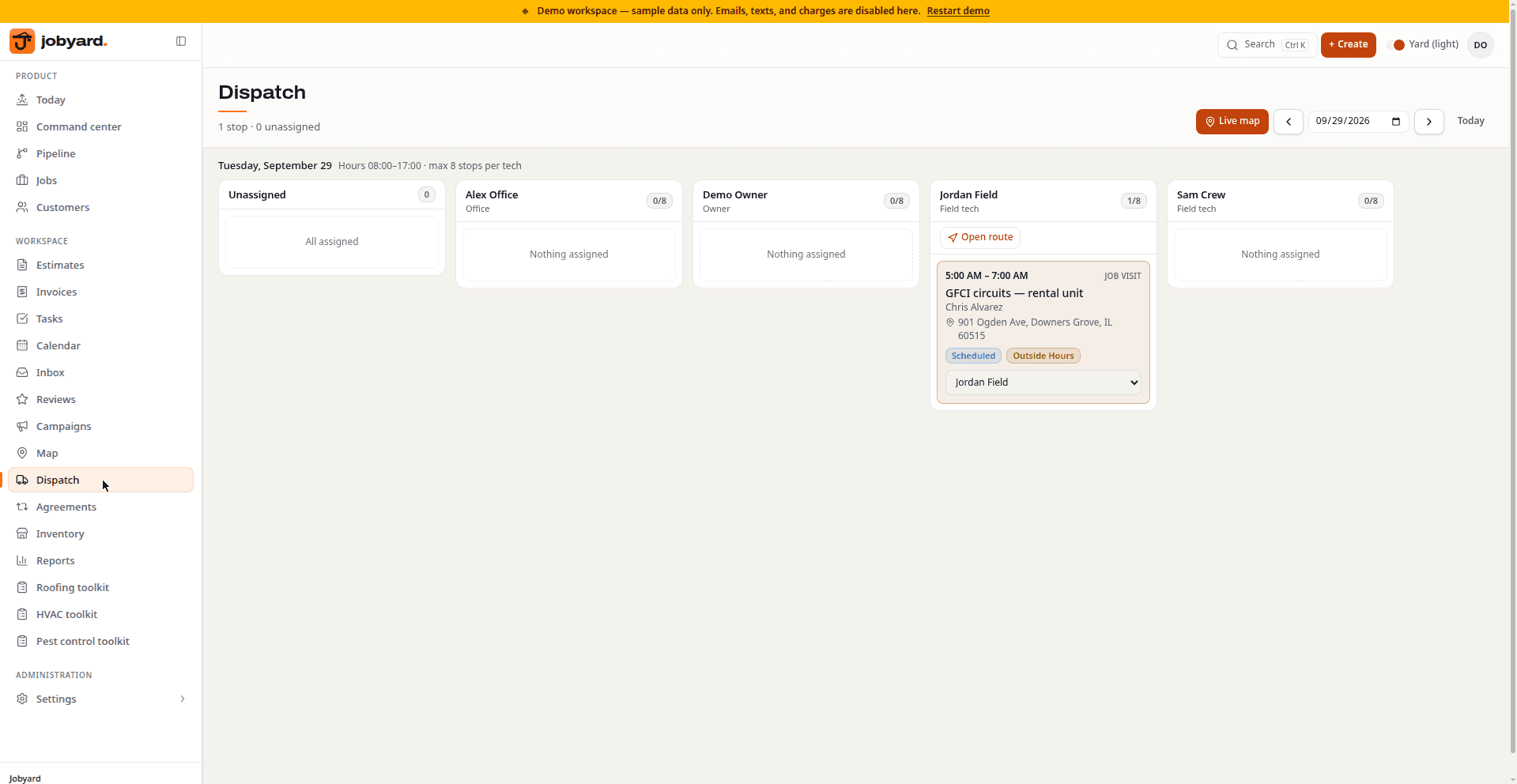
Dispatch
The dispatch board: the week's scheduled visits, with unscheduled and overdue stops alongside.
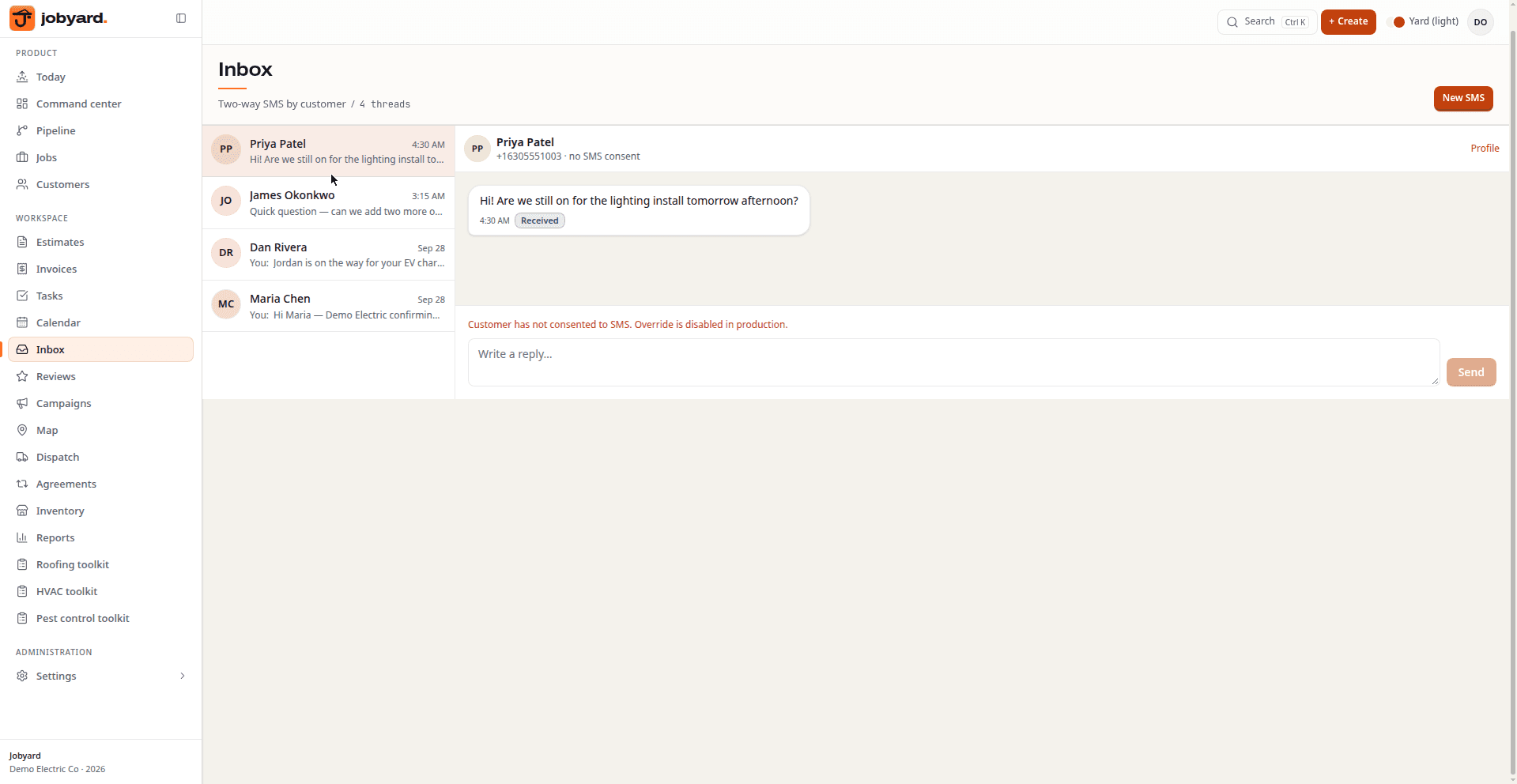
Inbox
The inbox: customer conversations in one place, with live status on each thread.
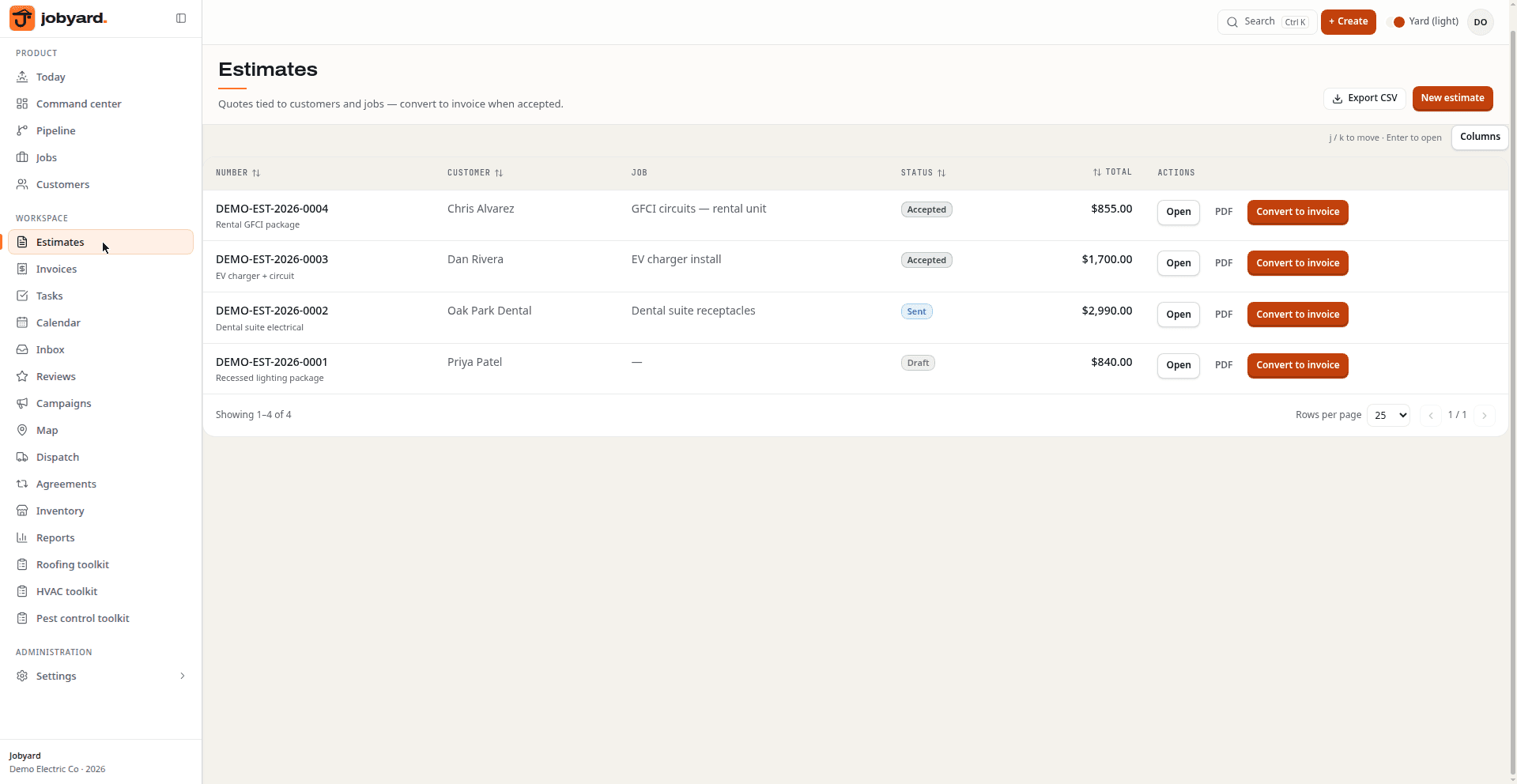
Estimates
Estimates: draft and sent estimates with totals, ready to turn into invoices.
What you're looking at
Leads move across New, Contacted, Estimate sent, and Won — with customer records and history attached.
Jump to Pipeline →The week's visits on one board, with unscheduled and overdue stops called out.
Jump to Dispatch →Draft and sent estimates with totals, ready to accept and turn into invoices.
Jump to Estimates →Customer threads in one place so SMS and email don't live on someone's personal phone.
Jump to Inbox →Today's KPIs, needs-attention feed, recent leads, and tasks — the morning command center.
Jump to Dashboard →