The contractor operating system

One yard for the whole job — from lead to paid.

Jobyard runs your shop from lead to paid: pipeline, dispatch, estimates, invoices, inbox, and field tools under one roof. Add a Jobyard member site when you want the front door on the same spine as your CRM.

Core $149 · Pro $249 · Plus $449 / mo. Annual saves ~15%.

See it in action

Real product screenshots.

No mockups — these are actual Jobyard pages with sample shop data.

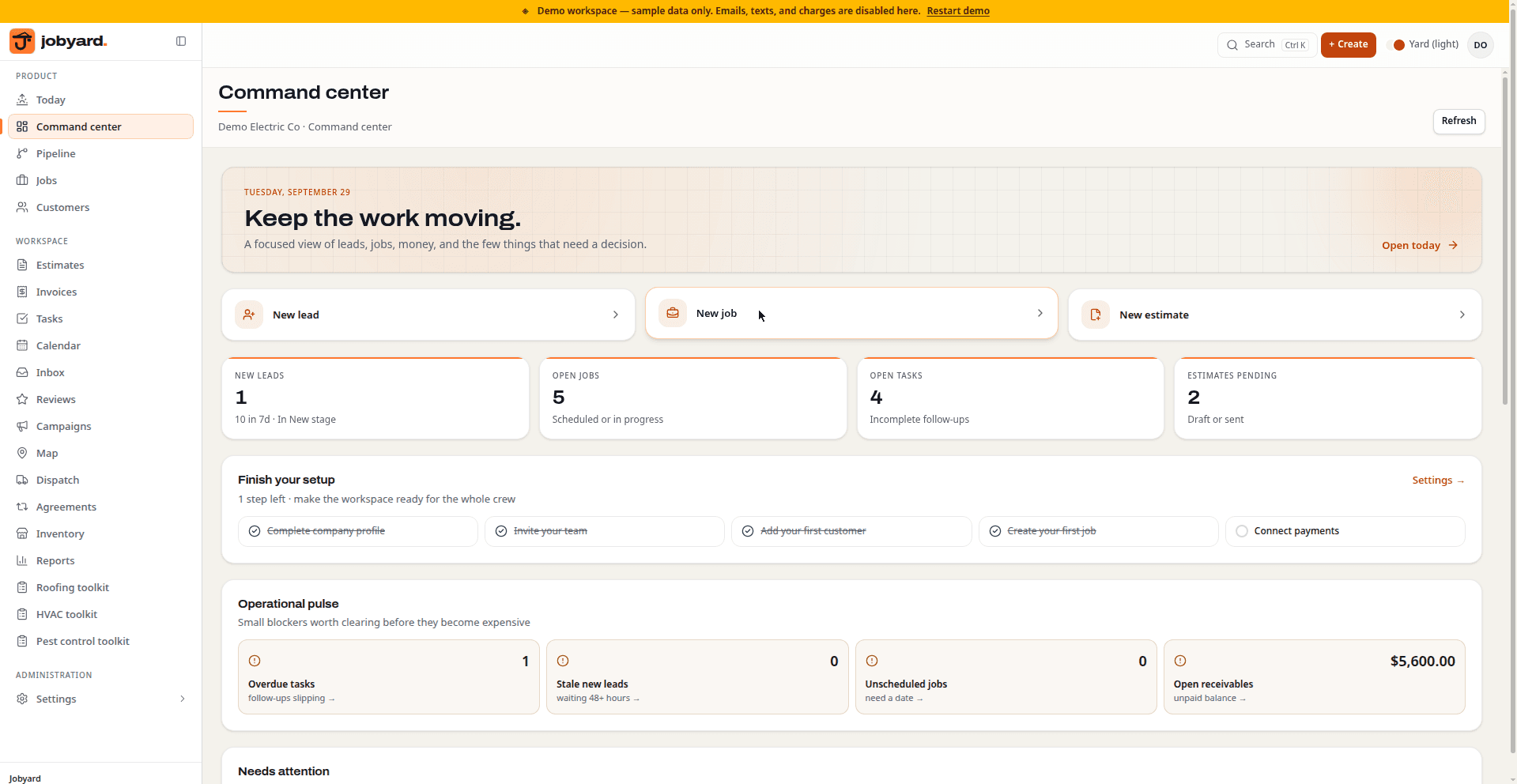
Jobyard dashboard showing KPIs, needs-attention feed, recent leads, and today's tasks

Dashboard

The command center: today's KPIs, what needs attention, recent leads, and the day's tasks.

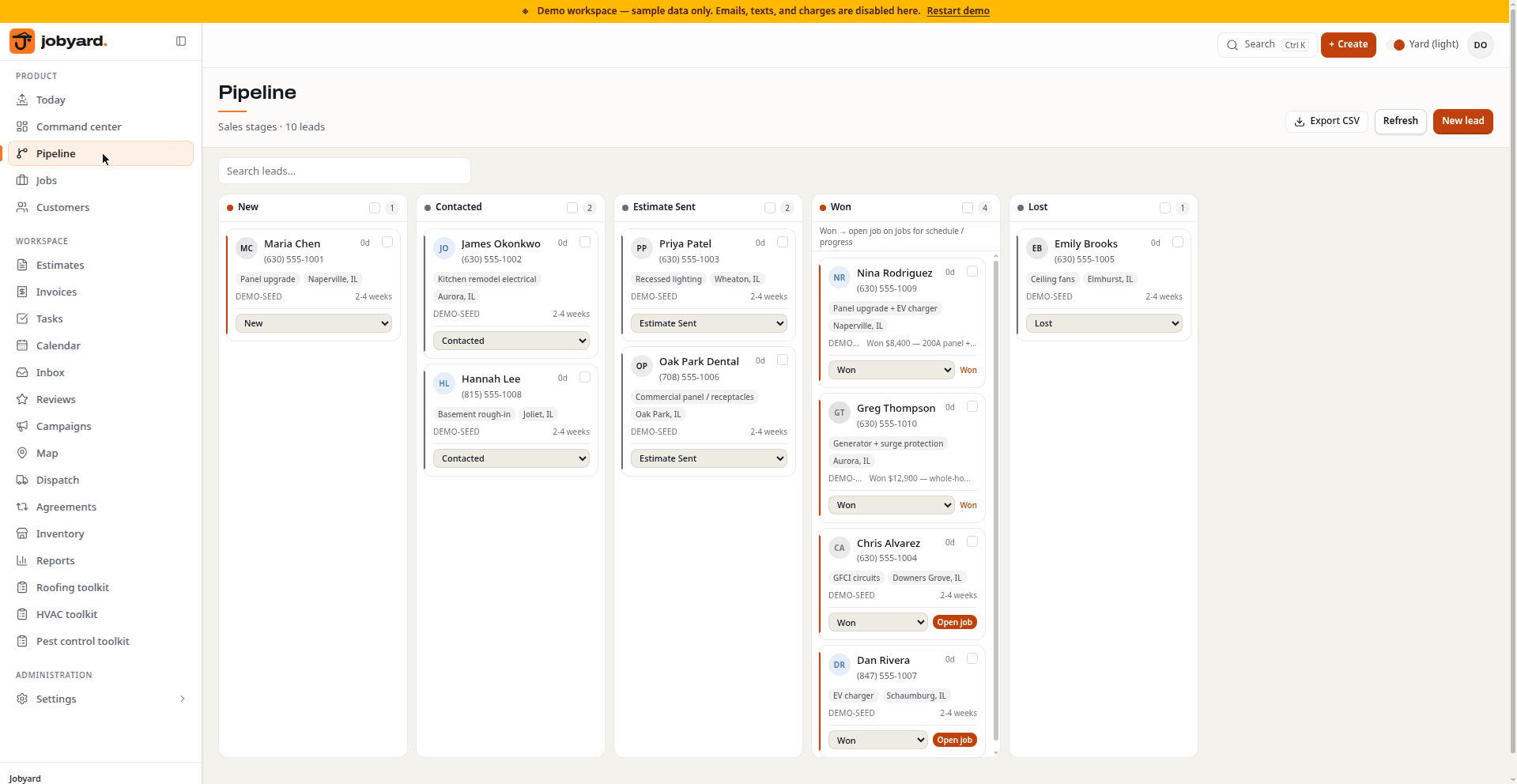
Jobyard pipeline kanban with leads across New, Contacted, Estimate sent, and Won columns

Pipeline

The pipeline: leads across New, Contacted, Estimate sent, and Won, with value totals per stage.

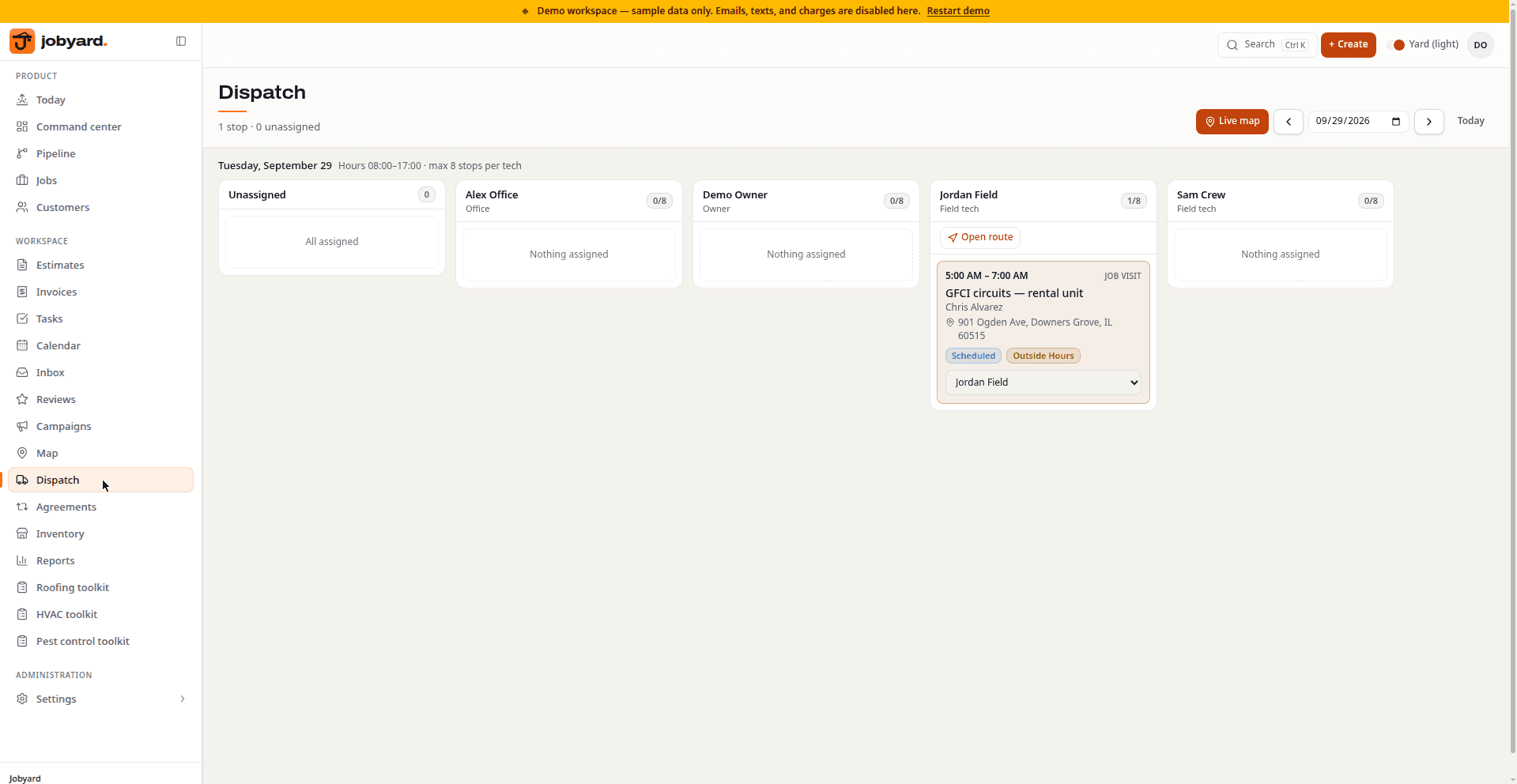
Jobyard dispatch board showing the week's scheduled visits with unscheduled and overdue stops

Dispatch

The dispatch board: the week's scheduled visits, with unscheduled and overdue stops alongside.

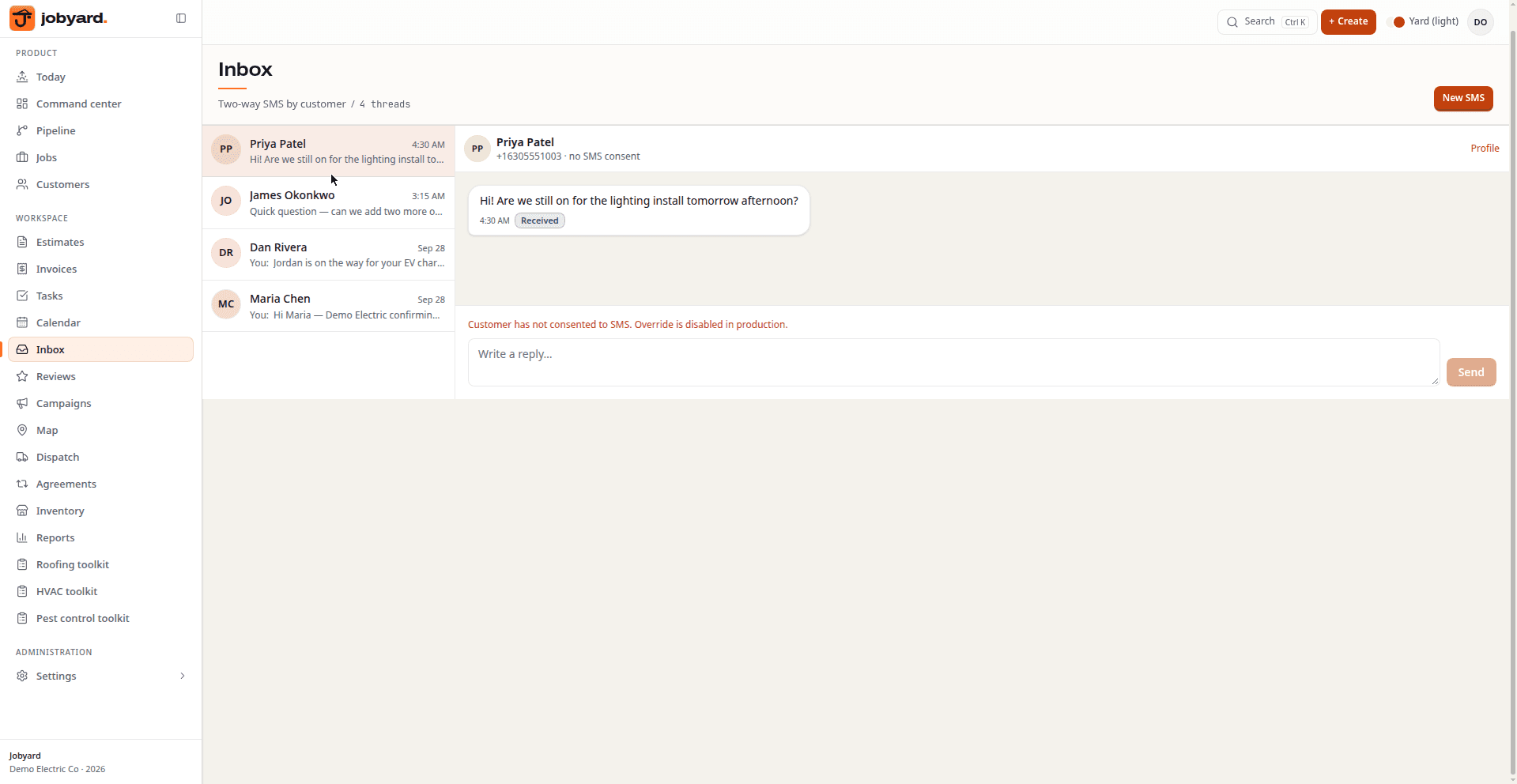
Jobyard inbox showing customer conversation threads

Inbox

The inbox: customer conversations in one place, with live status on each thread.

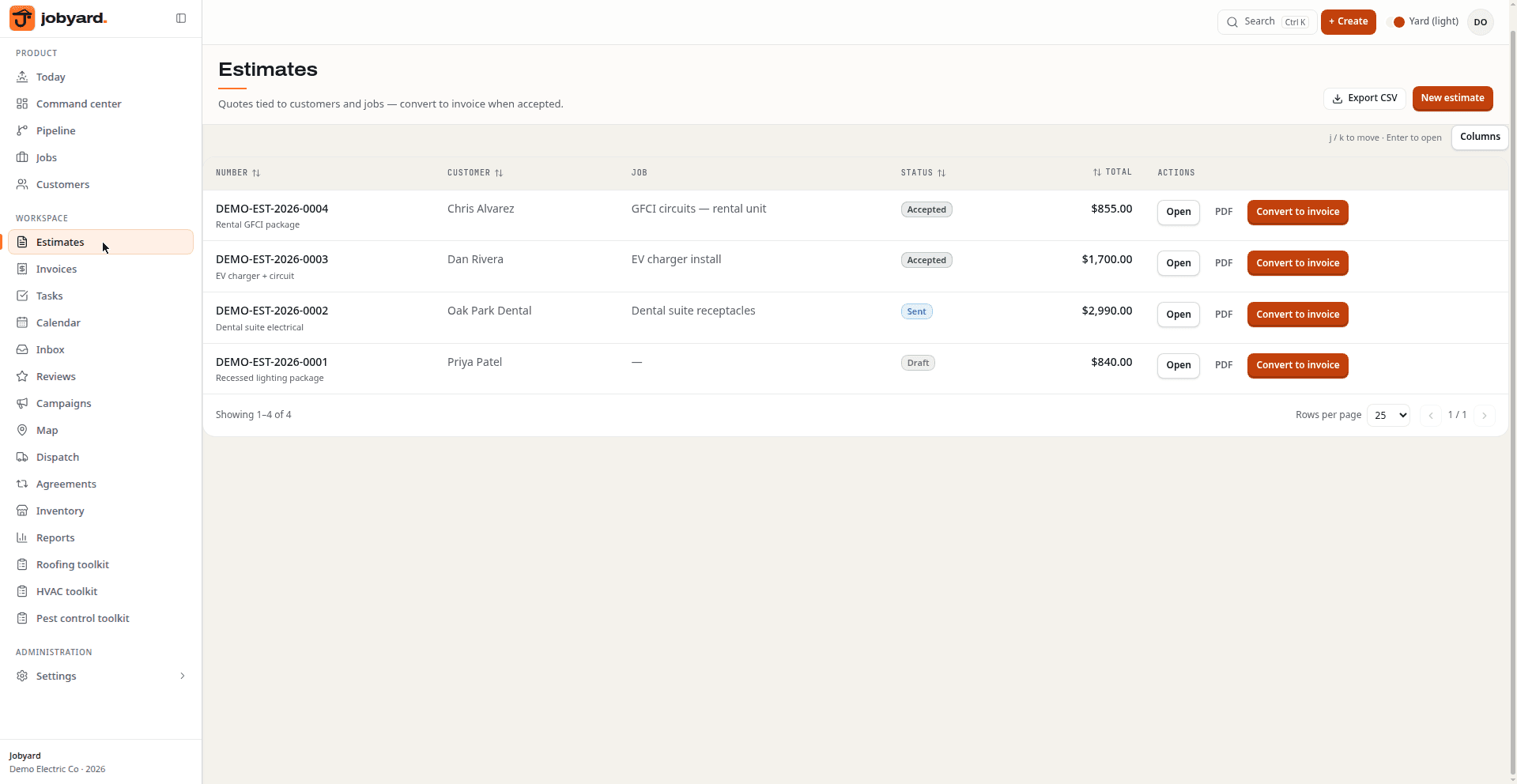
Jobyard estimates list showing draft and sent estimates

Estimates

Estimates: draft and sent estimates with totals, ready to turn into invoices.

Static page captures from the product. Browse the full screenshot gallery →

What you get

The back office, not five other apps.

Built for the way trade shops actually work — the office, the dispatcher, and the tech on site.

Optional trade packs

Enable roofing, HVAC, solar, plumbing, electrical, landscaping, cleaning, pest, junk, or moving per account. Depth varies by pack — roofing claims/supplements and pest chemical logs are furthest along; others start as structured case records on the shared spine.

Funnel lead intake

A form on your website becomes a New lead in the pipeline in seconds. Owners get SMS and email when messaging is configured, and every source — website, inbound SMS, or a booked visit — becomes one customer record.

Dispatch & GPS

Estimate visits and job days live on one calendar. The dispatch board keeps crews moving, Google Maps routing plots the day, and GPS tracking ships on higher tiers.

Money: estimates to paid

Line items, PDF estimates with accept links, invoices, and Stripe payment links. Sync to QuickBooks when connected, mark checks paid offline, and add financing later when a partner is certified for your shop.

CRM & customer threads

Customers, jobs, and history in one record. Transactional SMS and email stay on the customer thread — not lost in someone's personal phone — with reviews and campaigns on higher tiers.

Integrations vault

Platform keys for payments, messaging, maps, and books live in one vault. Configure Angi/Thumbtack-style webhook intake and payroll when those connectors are enabled for your account — plus an API on higher tiers.

Guided onboarding

Signup creates your company workspace and drops you into an onboarding checklist: company profile, intake wiring, team invites, and a test job — so new shops can go live the same day.

Field-ready

Techs live in the Today view with schedules, photos, and checklists. Offline-capable PWA means the job record keeps working where the signal doesn't.
Member sites

Optional front door — same CRM spine.

Keep your existing site and point forms at a Jobyard funnel, or stand up a Jobyard member site so intake and the CRM stay one loop.

Member site option

Jobyard can host a professional site for your shop — trade, services, and service area — with the lead form wired into your pipeline. Provisioning is part of onboarding/ops, not an instant auto-build at signup.

One platform to maintain

One codebase for the OS. When you run a Jobyard member site, it stays on the same release train — no separate plugin stack to babysit.

CRM already on the spine

Website forms, inbox, and pipeline share one customer record. Point an existing site at a Jobyard funnel if you already have a front door.

How it works

Live in three steps.

01

Create your workspace

Sign up and Jobyard provisions your company workspace automatically — no setup calls, no data entry gauntlet. You're in your yard in minutes.

Create workspace →

02

Finish the onboarding checklist

Confirm your company profile, wire up intake (your site form or a booking link for estimate visits), invite the office and the field, and run a test job.

Start step one →

03

Launch on a plan

Start the 14-day Pro trial and take a real lead the same day. Pick Core, Pro, or Plus when you're ready — checkout happens inside Settings → Billing.

See plans →

Pricing

Pick a yard. Upgrade when the crew grows.

Pro is the default for most shops — trial included. Checkout happens after you create a workspace.

Plan

Core

Pipeline, jobs, estimates, invoices, calendar, dispatch.

$149/mo

  • ▸Lead pipeline + website intake
  • ▸Jobs, customers, tasks
  • ▸Estimates & invoices
  • ▸Inbox + calendar
  • ▸Dispatch board
  • ▸5 seats
Start with Core

Most teams

Pro

Everything in Core plus automations, booking, inventory, campaigns.

$249/mo

14-day trial

  • ▸Everything in Core
  • ▸14-day trial
  • ▸QuickBooks + automations
  • ▸Online booking + reviews
  • ▸Inventory + campaigns
  • ▸12 seats
Start with Pro

Plan

Plus

Remodel projects, GPS, AI assist, marketplaces, multi-location.

$449/mo

14-day trial

  • ▸Everything in Pro
  • ▸Project / remodel mode
  • ▸GPS tracking
  • ▸AI assist + receptionist
  • ▸Lead marketplaces + API
  • ▸25 seats
Start with Plus

FAQ

Straight answers.

How long does it take to get set up?

Most shops go live in one sitting. Signup provisions your company workspace automatically, then the onboarding checklist walks you through the company profile, intake wiring, team invites, and a test job. You can take your first live lead the same day.

Which trades is Jobyard built for?

Any field-service or remodel shop on the shared lead→cash spine. Optional packs cover roofing, HVAC, solar, plumbing, electrical, landscaping, cleaning, pest, junk, and moving — enable what you need in Command. Remodel / project mode ships on Plus.

Do I need my own website?

No. You can keep your current site and point its form at a Jobyard funnel, or use a Jobyard member site so leads land in your pipeline. Member sites are provisioned during onboarding/ops — not a silent auto-build the second you sign up.

How does the trial work?

Pro includes a 14-day trial. Core starts paid; Plus trials are 14 days. Create your workspace first, then checkout happens inside Settings → Billing after you're signed in. Annual billing saves roughly 15%.

Can I cancel?

Yes. Billing is managed through a Stripe portal inside Settings — cancel or change plans there anytime. Your data stays exportable.

Does Jobyard make my SMS messaging TCPA compliant?

No. You are responsible for consent, content, and opt-outs. Jobyard records consent, handles STOP, HELP, and START, and keeps that evidence on the customer. Those rails do not make a campaign lawful by themselves.

We already have QuickBooks. Do we keep it?

Yes — Jobyard syncs with QuickBooks rather than replacing your books. Estimates, invoices, and payments in the yard; the ledger stays where your accountant expects it.

Replaces the pile

The apps a shop rents. One login instead.

Field software, lead apps, the CRM, email, booking, photos, and the spreadsheet. Hover to pause.

Jobber
Housecall Pro
ServiceTitan
Workiz
ServiceM8
FieldPulse
Service Fusion
JobNimbus
AccuLynx
Buildertrend
Service Autopilot
mHelpDesk
Houzz
Joist
Angi
Thumbtack
HomeAdvisor
Yelp
CompanyCam
QuickBooks
HighLevel
HubSpot
Salesforce
CRMAny CRM
Keap
Pipedrive
ActiveCampaign
Mailchimp
Constant Contact
ClickFunnels
HoneyBook
Podium
Birdeye
Calendly
CallRail
DocuSign
Typeform
Zapier
monday.com
ClickUp
Asana
Notion
Squarespace
Wix
Google Calendar

No invented testimonials. The stack above is the pitch — shops already paying for those tools are who this is for.

Get started

Open your yard today.

Create a workspace, finish the checklist, and take your first live lead the same day. Wire your existing site or add a Jobyard member site when you are ready.

Talk to us first

Tell us the trade and shop size. We'll onboard the account.